Field notes · Look · Try · Compare
Reading flash and background light in a portrait
Read the light on a person and the light around them as related portrait choices.
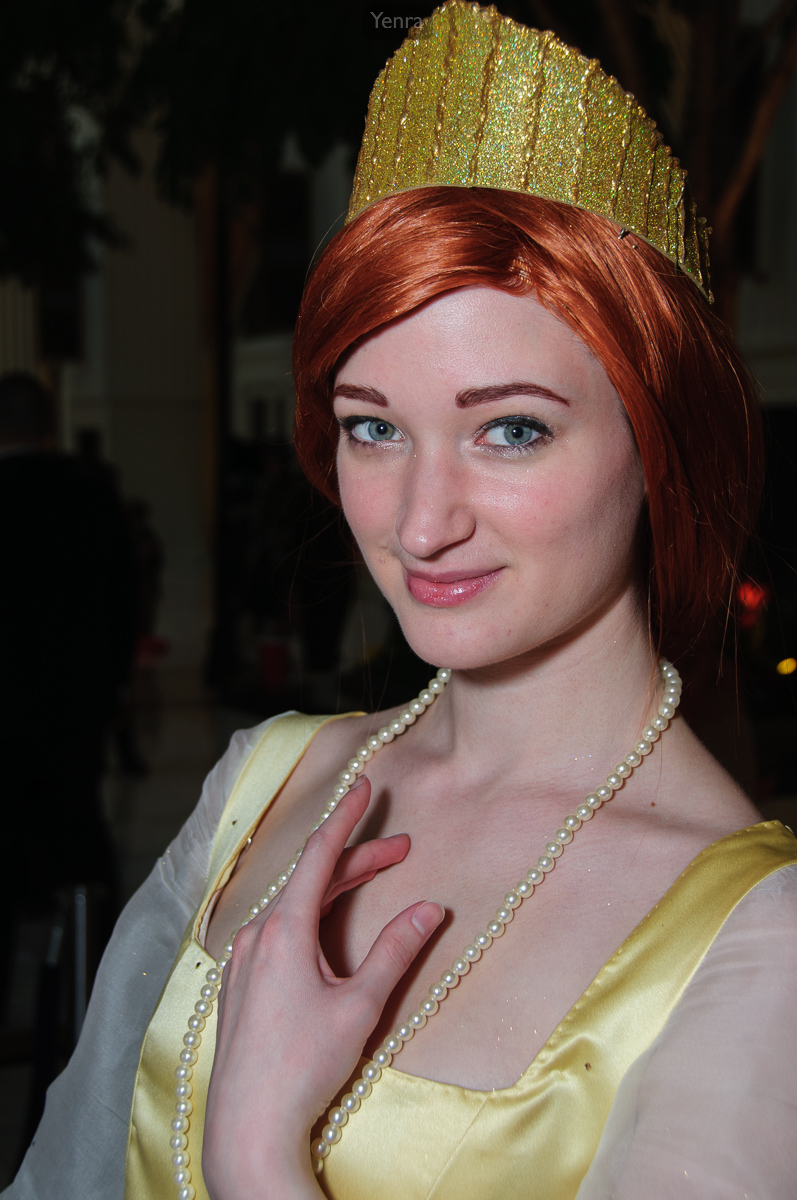
Anastasia, Once Upon a December Dress, Anastasia · Photograph: Yenra
Captured: 2011:02:19 18:45:23
A portrait can show a clearly lit person while keeping the evening sky, a window or a room in view. Begin by looking at the person and their surroundings separately. How much can you see of each? That simple question opens a useful way to think about light.
These Katsucon 2011 records all report flash firing. They show different people and lighting situations, not a controlled before-and-after comparison. The photographs invite you to observe possible balances; they do not reveal where a flash stood, its power, its modifiers or how much of the face's illumination it supplied.
Look at the person and background separately
In the crowned portrait above, the face and pale clothing stand out against much darker surroundings. Look at the face first, then the spaces around the crown and shoulders. A dark background can give costume shapes a clear outline without telling us which light produced every bright area.
Ambient light means the light already present in the scene. Flash adds a brief pulse. Either can reach the person and the background, so avoid equating the person with flash and the background with ambient light. Instead, describe what you see: a clear face, pale fabric and a darker setting.
Keep the surrounding light in the picture
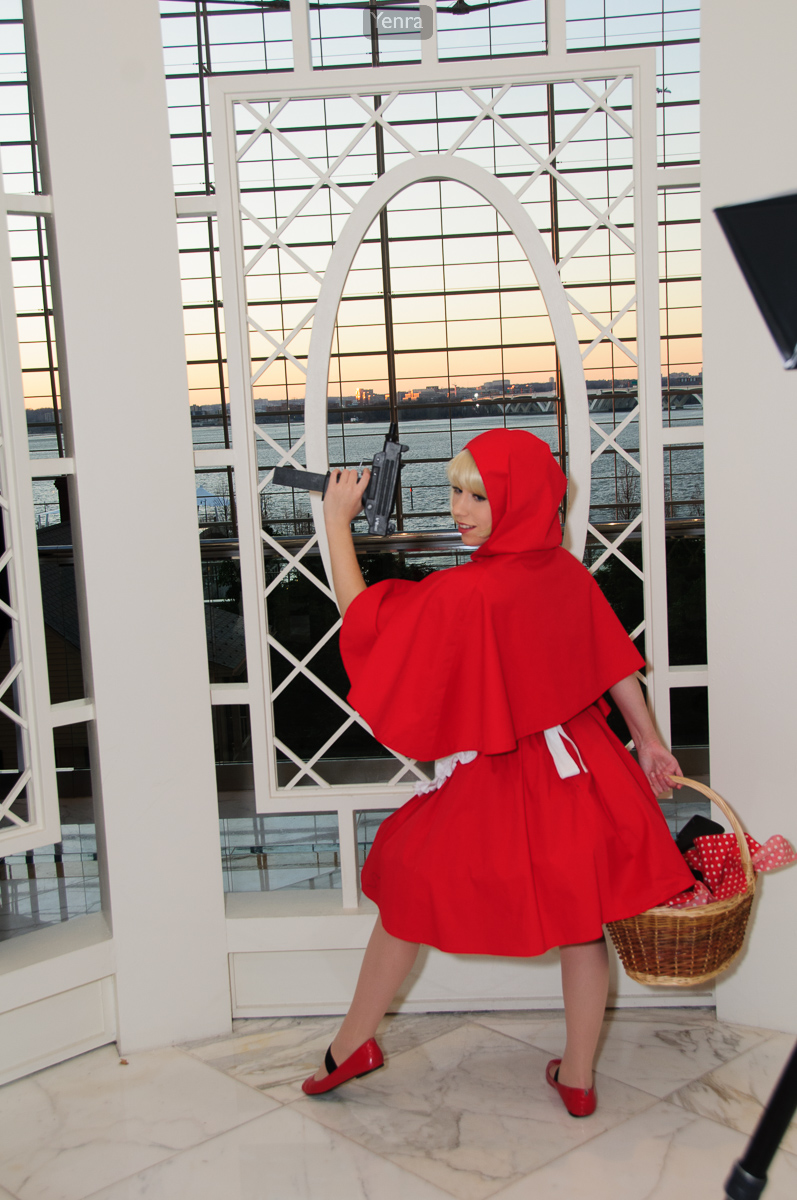
Katsucon 2011 photograph 4596 · Photograph: Yenra
Captured: 2011:02:19 18:46:29
The red-clothed portrait includes warm sky and water beyond the decorative screen. Compare the visibility of these surroundings with the first portrait. Both were recorded at f/5.6, 1/60 second and ISO 200, yet their backgrounds look different. Matching settings do not make different scenes a controlled test.
When making your own portrait, decide how much of the setting helps tell the story. A recognizable place can support a costume or mood; a darker setting can simplify the picture. Check the face and costume separately from the background and ask your partner what they would like to keep visible.
Read the settings as evidence
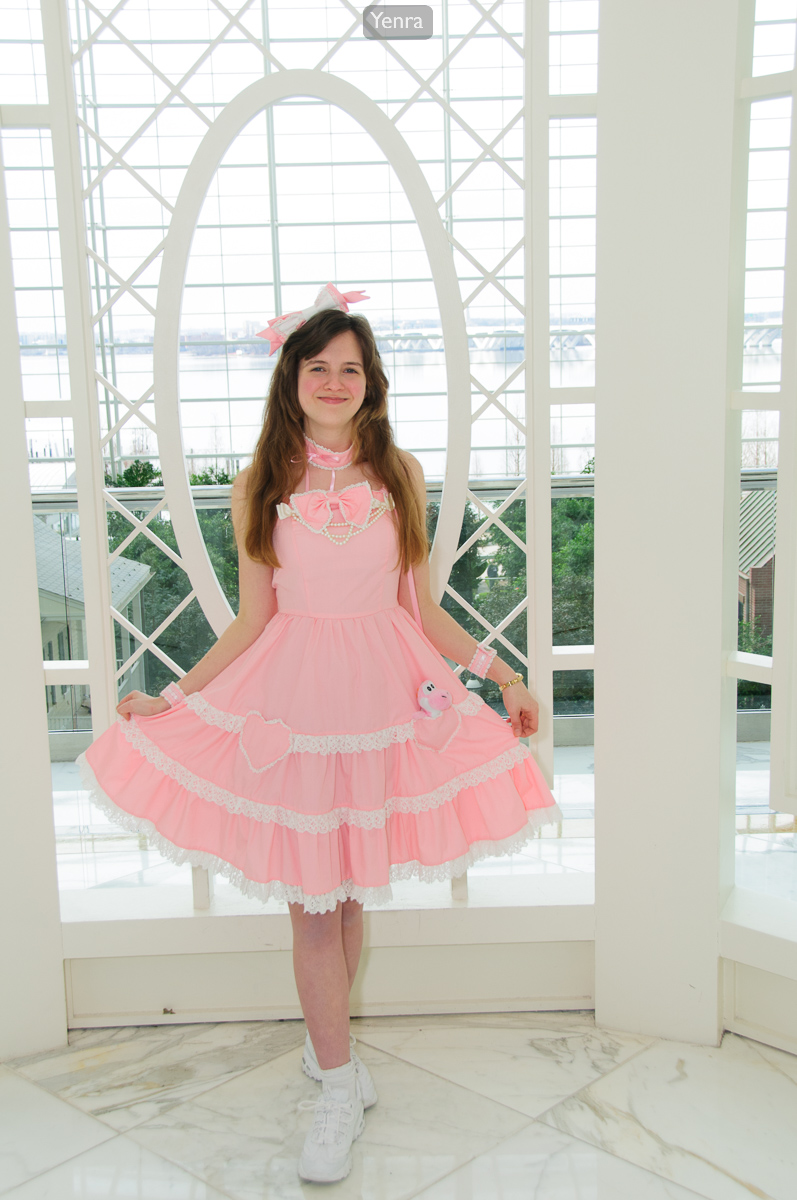
Katsucon 2011 photograph 4798 · Photograph: Yenra
Captured: 2011:02:20 15:55:30
The pink-dress portrait retains bright windows and a white screen around the figure. Its record gives f/5.6, 1/80 second and ISO 200. All three list Flash: On, Return detected. These are historical settings, not universal recommendations, and the shutter difference alone cannot explain the different backgrounds.
For an optional controlled trial, use manual camera and flash settings at normal flash sync. With aperture, ISO, flash power and positions fixed, changing shutter duration chiefly changes the captured ambient light; aperture and ISO affect both contributions. Automatic or TTL settings may compensate, and high-speed sync works differently. Slower shutters may blur movement. You can learn just by comparing these photographs, too.
Look back with curiosity.
- How much of the surroundings can you see in each portrait?
- What do the records establish, and what remains unknown about the lighting?
- Which balance would suit the person, costume and setting you want to show?
Keep exploring
Seeing light in a portrait · Exploring light and dark portrait backgrounds · Noticing shadows in a photograph
Technical reading: Nikon: Flash Photography the Easy Way.
Explore the complete Katsucon 2011 gallery. Follow the original neighbors and see which portrait choice catches your attention next.