Field notes · Look · Try · Compare
Reading exposure against a bright background
Choose which face or costume details matter when the surroundings are bright.
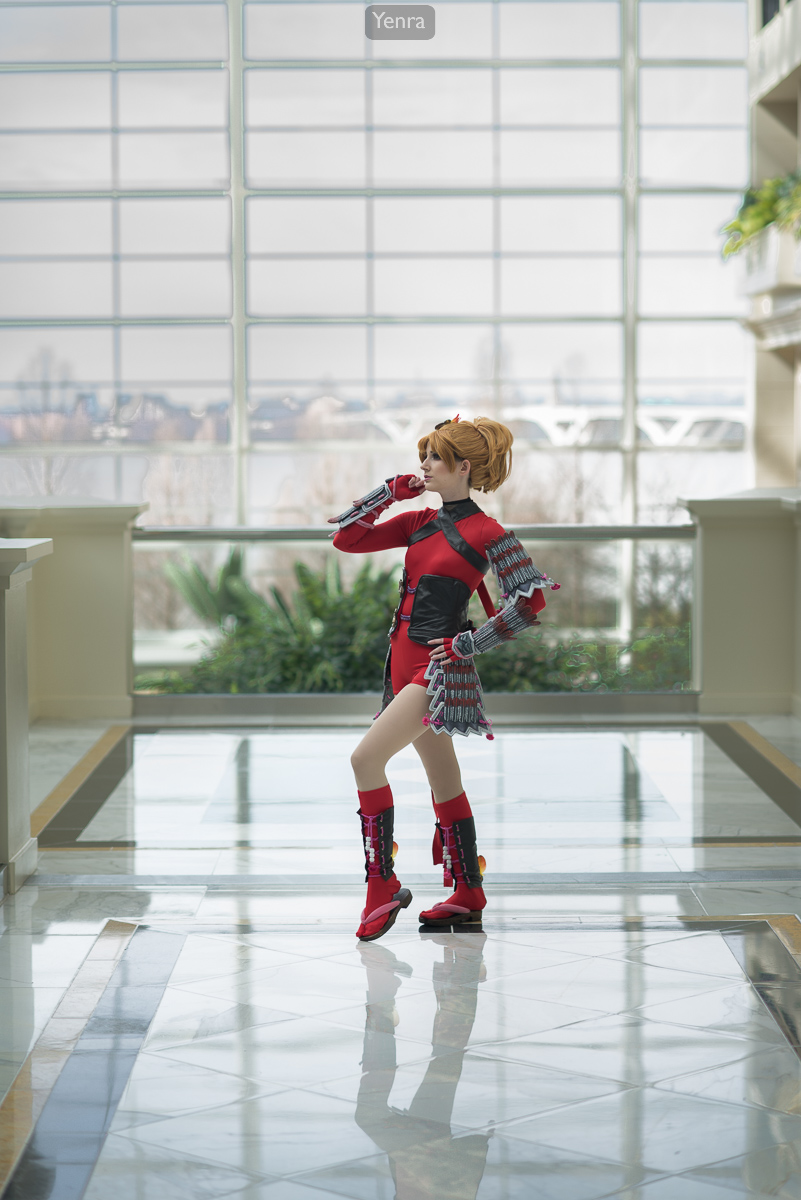
MAGFest 2016 photograph 2046 · Photograph: Yenra
Captured: 2016:02:19 13:00:00
A bright window can be a beautiful part of a portrait. It can also pull attention away from the face or make costume detail harder to see. Begin with a small decision: which detail would you most like the photograph to preserve? There is no obligation to make every part equally bright.
These MAGFest 2016 photographs offer three places to look. They are separate pictures, not an exposure bracket. Their web JPEGs show the published result; they cannot establish whether the original camera files contained recoverable highlight detail.
Start with the face and costume
Look at the face and red costume before following the bright windows. Which small shapes or changes of tone help you read the person? Then look at the surroundings. A pale area can simply be pale; an area with little visible texture is a reason to inspect your own photograph more closely, not proof of a particular processing mistake.
When making a portrait, ask your partner what they want to show. A textured sleeve, makeup detail or expression may matter more than a view through the window. This gives your exposure review a purpose beyond making the whole picture lighter or darker.
Notice what a wider view includes
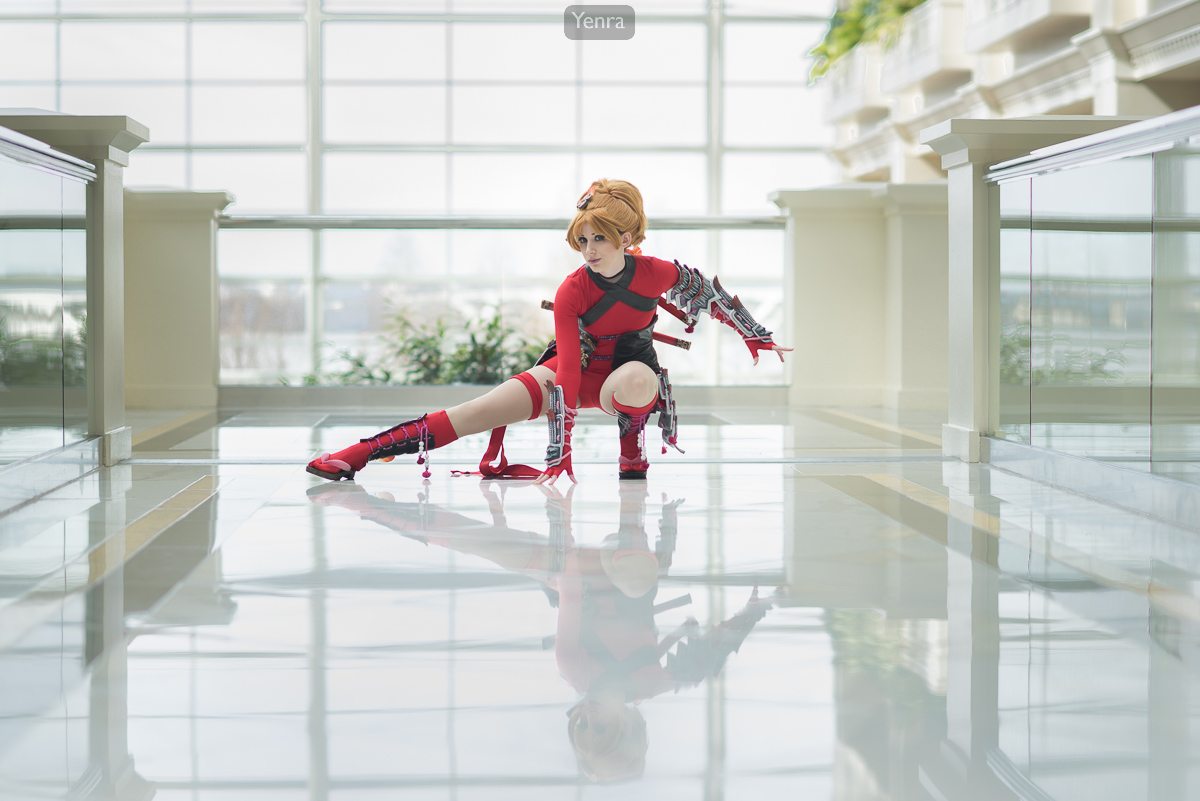
MAGFest 2016 photograph 2053 · Photograph: Yenra
Captured: 2016:02:19 13:00:34
The wider pose includes more of the costume and windows. Both red-costume records list 85 mm, f/2.5, 1/320 second and ISO 80. Pose and framing change; the matching settings do not make this a controlled exposure test. Notice how the amount of bright background affects your reading of the picture.
For your own trial, inspect a starting frame and make a small adjustment if needed. Exposure compensation asks an automatic exposure system for a brighter or darker result; use a mode in which that control actually changes exposure. With manual shutter, aperture and fixed ISO, adjust those settings directly. Manual mode with Auto ISO and flash combinations vary by camera, so check what changed rather than assuming the dial did what you expected.
Decide what the bright areas contribute
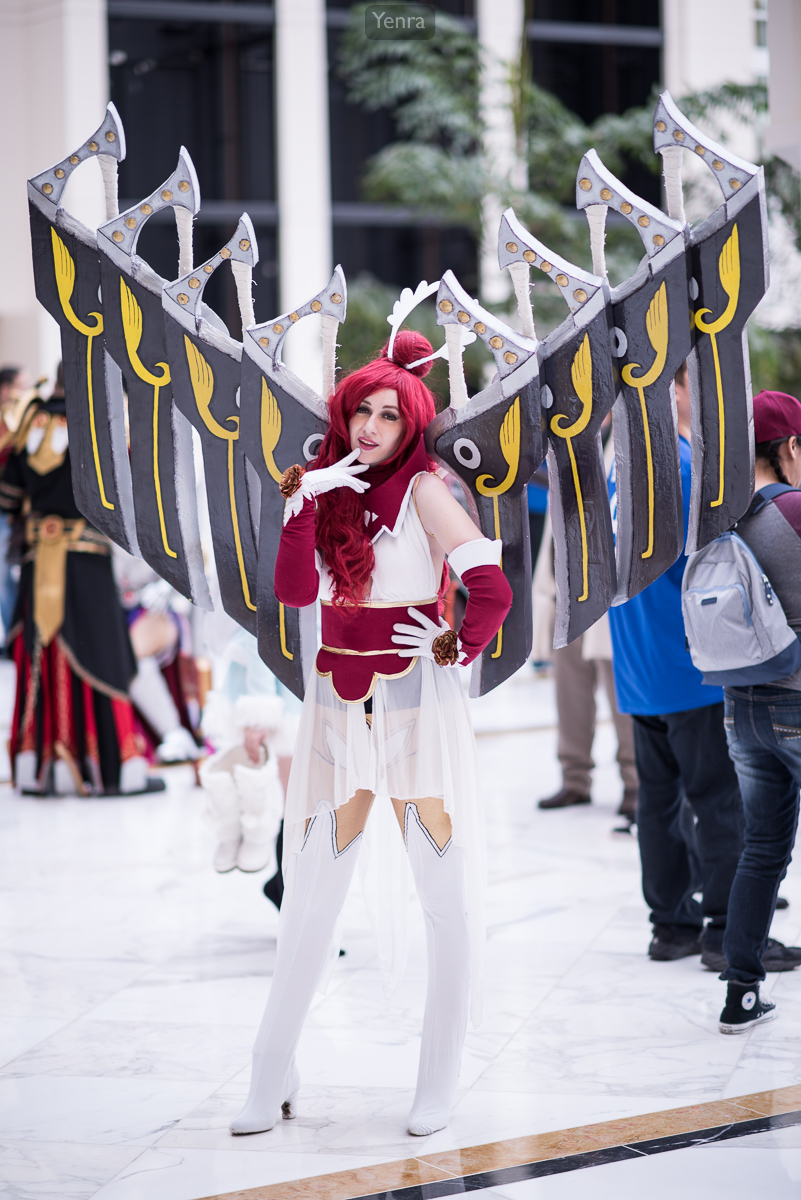
MAGFest 2016 photograph 6293 · Photograph: Yenra
Captured: 2016:02:20 13:43:25
The pale costume and large wings bring a different question: which light-toned details distinguish the wings, clothing and floor? This record lists 85 mm, f/1.8, 1/250 second and ISO 100. All three records say Flash: Off, Did not fire. That recorded flag does not establish the absence of every possible external light source.
A histogram or highlight warning can help you review your own trial. The graph describes tones, not whether your chosen facial detail looks right, and a bright scene need not have a centered histogram. Check the important subject detail alongside the display. If one exposure cannot retain both subject and background as you want, try another viewpoint, turn toward different light, or deliberately let a less important background become bright. A small change in the scene may help more than another setting.
Look back with curiosity.
- Which detail did you choose to preserve?
- What happened elsewhere in the frame when you changed exposure?
- What would you change about the scene before trying another setting?
Keep exploring
Reading flash and background light in a portrait · Choosing depth of field for a costume portrait
Technical reading: Nikon: Exposure compensation and the histogram. Its controls describe that camera; use your own manual for the corresponding settings.
Explore the complete MAGFest 2016 gallery and notice another portrait in which the background changes what you see.