Field notes · Look · Try · Compare
Including a camera in a portrait
Explore the connection between a person, their hands, and a camera in the frame.
Photographer · Photograph: Yenra
Captured: 2016:08:12 10:36:38
A camera can become part of a portrait as an object held, an outline near the face, or a detail connected to the setting. Work with a willing model and a camera they already have. A comfortable hold and one small variation are enough to begin.
Begin with a comfortable hold
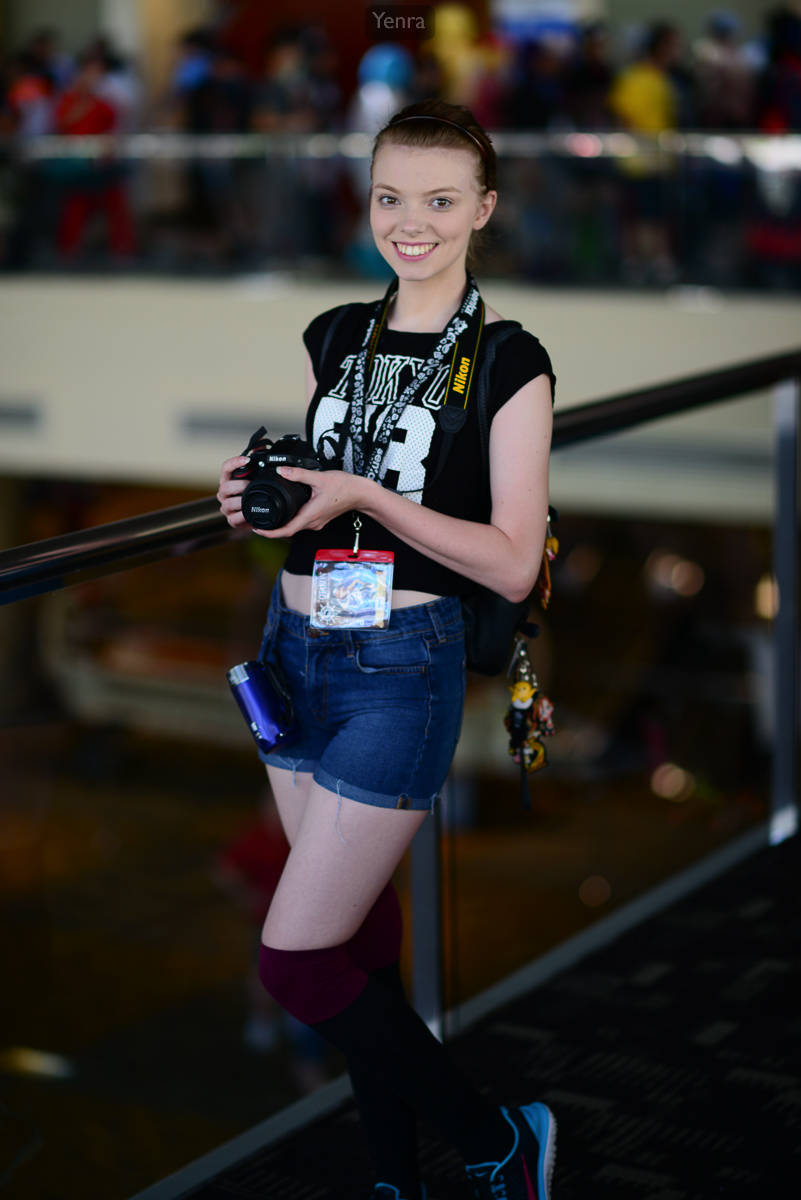
Here, the camera is held below the face, with both hands contributing to its position. The strap creates another line through the portrait, while the expression remains easy to see. The surrounding railing and interior give the person and camera a setting.
Invite your model to find a hold that feels comfortable to them. Look at how the hands meet the camera and how much space separates it from the face. Make a starting photograph, then share what you notice. Your model may have an idea for another position or a detail they would enjoy including.
You can begin with whatever camera is already available. Its shape, strap, and the way it sits in the hands provide useful things to explore. The portrait exercise works whether the camera is taking a picture or simply being held.
Explore the camera close to the face
Max Caulfield, Life is Strange · Photograph: Yenra
Captured: 2016:08:12 11:50:59
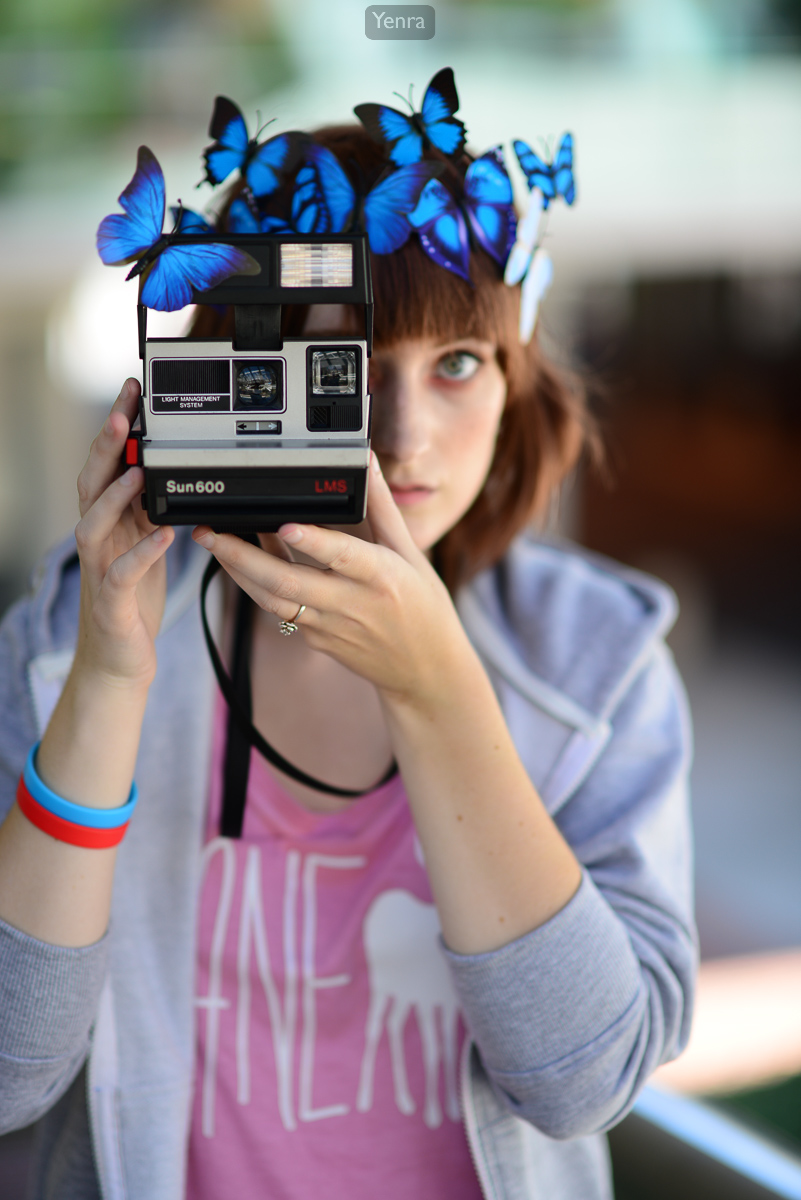
In this Max Caulfield portrait, the raised instant camera overlaps part of the face. Its front is sharper than the face behind it, and the blue butterfly decorations add shapes above. Camera, hands, and face occupy closely connected areas of the frame.
Notice how raising an object changes what remains visible around it. The eye beside the camera becomes a small point to return to, while the camera itself occupies a substantial part of the portrait. This is one possibility among many ways to arrange a person and an object.
If your model would enjoy a variation, invite a small change in the camera's height or angle. They can also choose where to look. Compare how the arrangement changes, keeping enough time for your model to settle into each position and tell you what feels good.
Include a little of the setting
Photographer · Photograph: Yenra
Captured: 2016:08:13 17:58:23
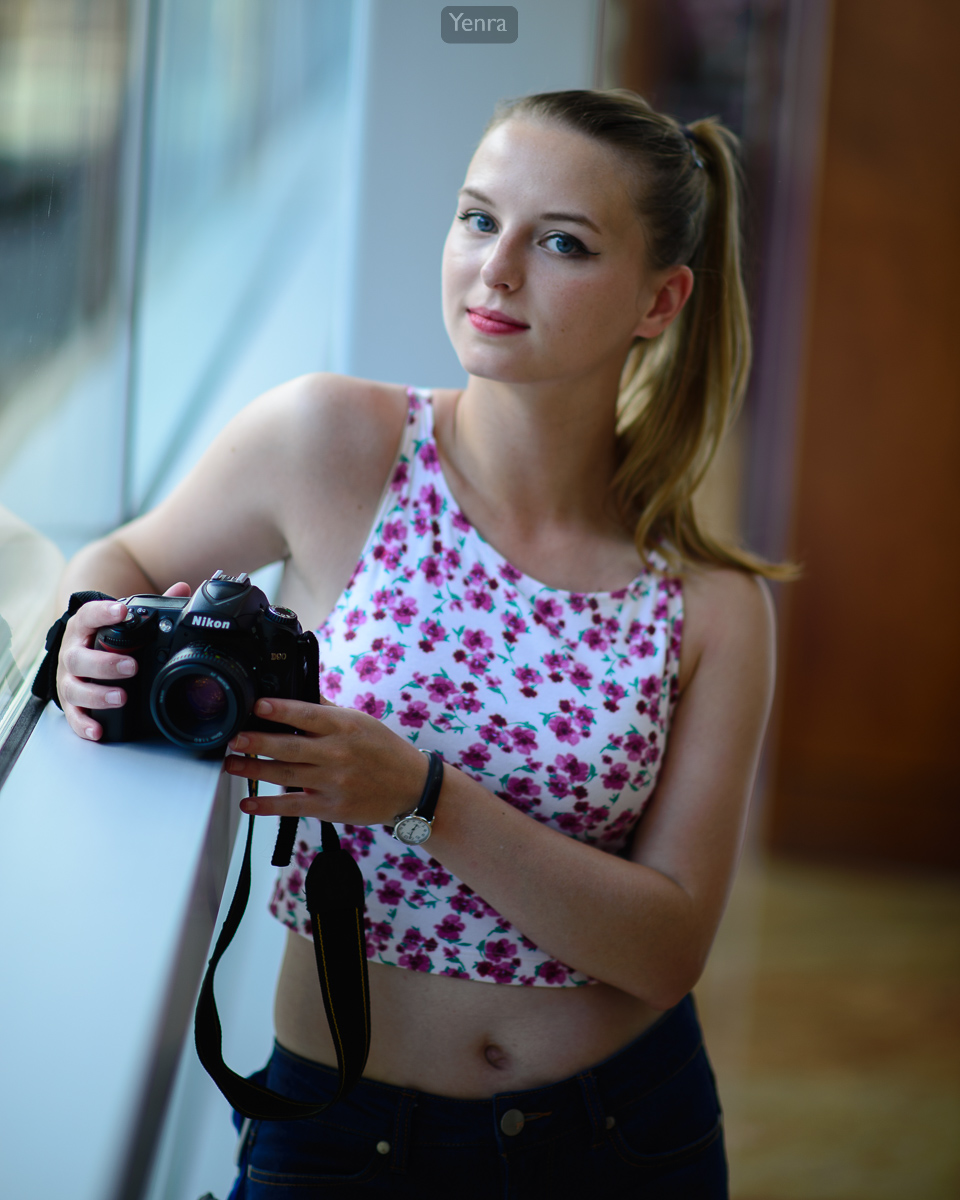
The window edge in this portrait joins the hands and camera within a closer view. The hanging strap extends below the hands, and the floral top contributes smaller shapes and colors. Looking around the whole frame helps you notice how the object connects with the person and surroundings.
Try a wider view and then a closer one. You might include more of the model's stance or give the hands and camera more space within the picture. Let the model keep a comfortable position while you explore what the framing contributes.
These archive photographs offer separate examples to study. For your own session, review the pictures together and ask which arrangement your model enjoys. One observation about the hands, gaze, or setting can become a useful starting point next time.
Look back with curiosity.
- How do the hands connect the person and camera?
- What changes when the camera is closer to the face?
- Which arrangement does your model most enjoy?
Keep exploring
Exploring props in a portrait · Exploring hand gestures in a portrait · Planning a portrait together
Browse the complete Otakon 2016 gallery.