Field notes · Look · Try · Compare
Making a visual contents page for a photo collection
Give readers a welcoming choice of previews, labels, and places to explore.
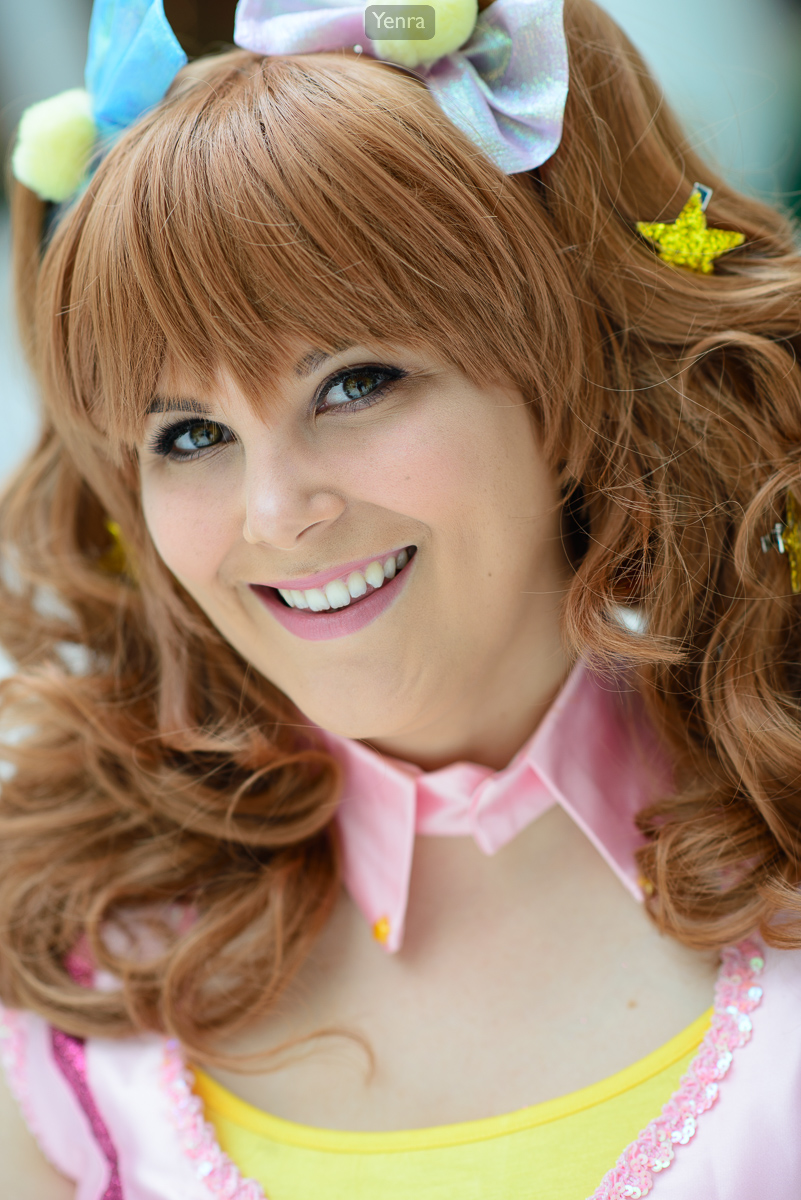
Kirari Moroboshi, Detail, Cinderella Girls, Idolmaster · Photograph: Yenra · Credit: Valley Bunny
Captured: 2017:08:12 10:30:57
A visual contents page gives readers a few welcoming ways into a collection. Pair a representative photograph with a short label and a useful destination, and someone can choose what they would like to explore first. You can begin with three invitations on a separate page or sheet.
The photographs here form a new editorial example: a portrait, a costume detail, and a group portrait from Otakon 2017. Their original pages and gallery order remain available. The example shows how previews can help someone choose a destination.
Choose a preview that represents its destination
This close portrait of Valley Bunny in a Kirari Moroboshi costume gives the face, curled hair, and small decorations most of the frame. A label such as Portrait offers a clear invitation to open the individual photograph and spend more time with those details.
Choose three sections or photographs from a collection you would enjoy sharing. For each destination, ask which image gives a useful sense of what the reader will find there. A representative preview can be quiet or lively, wide or close; its role is to make the choice understandable.
If you have already organized a collection into chapters, you can select one preview for each chapter. For a smaller collection, a few individual photographs may provide enough destinations. Work on a separate draft so you can explore the arrangement while keeping your originals intact.
Add a short useful label
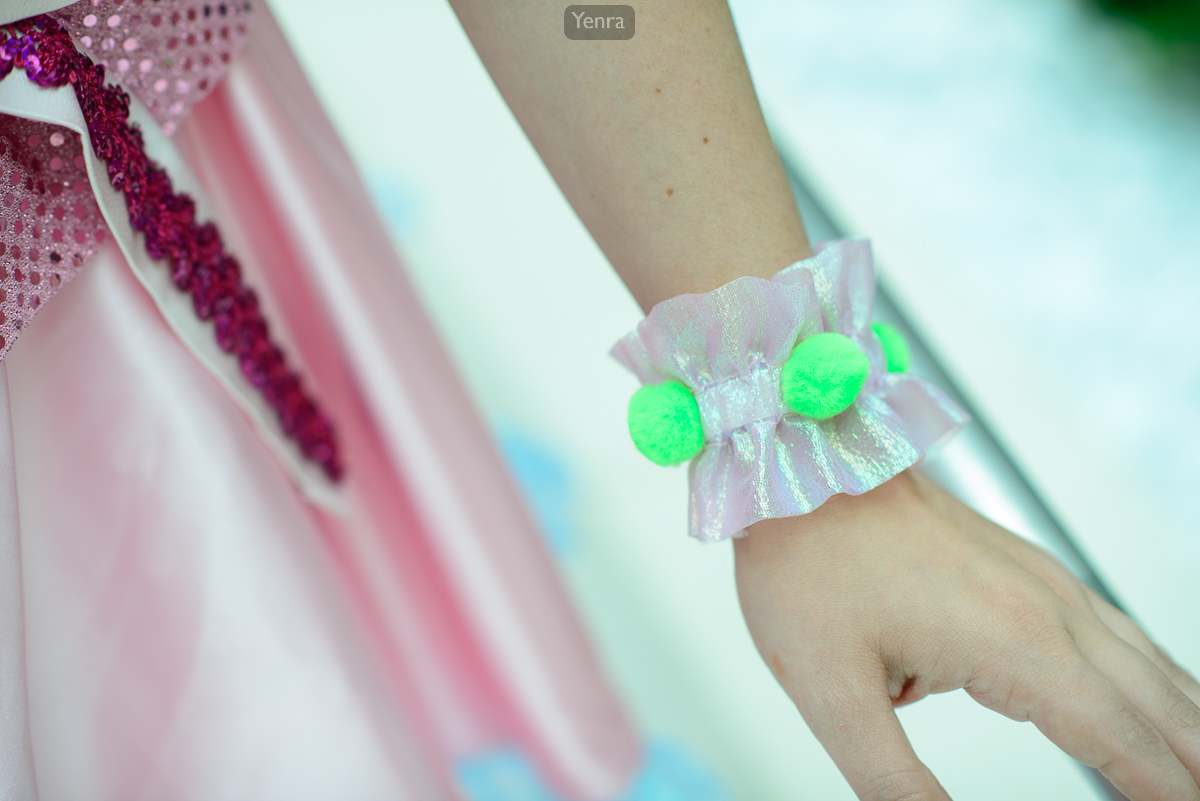
Kirari Moroboshi, Detail, Cinderella Girls, Idolmaster · Photograph: Yenra · Credit: Valley Bunny
Captured: 2017:08:12 10:31:36
The wrist ruffle and green pom-poms in this Valley Bunny costume detail invite a closer look at a small part of the outfit. Costume detail tells a reader something useful before they follow the link. The complete photograph retains the surrounding pink fabric and hand.
Write labels that help readers anticipate the destination. Portrait, Costume detail, and Group portrait work for this small example. Your own collection might use place names, chapter headings, or short descriptions of an activity.
Read the labels by themselves. They should still offer meaningful choices when the pictures are small or unavailable. For digital collections, descriptive link text and helpful alternative text give readers more than one way to understand the invitations.
Make the way onward clear
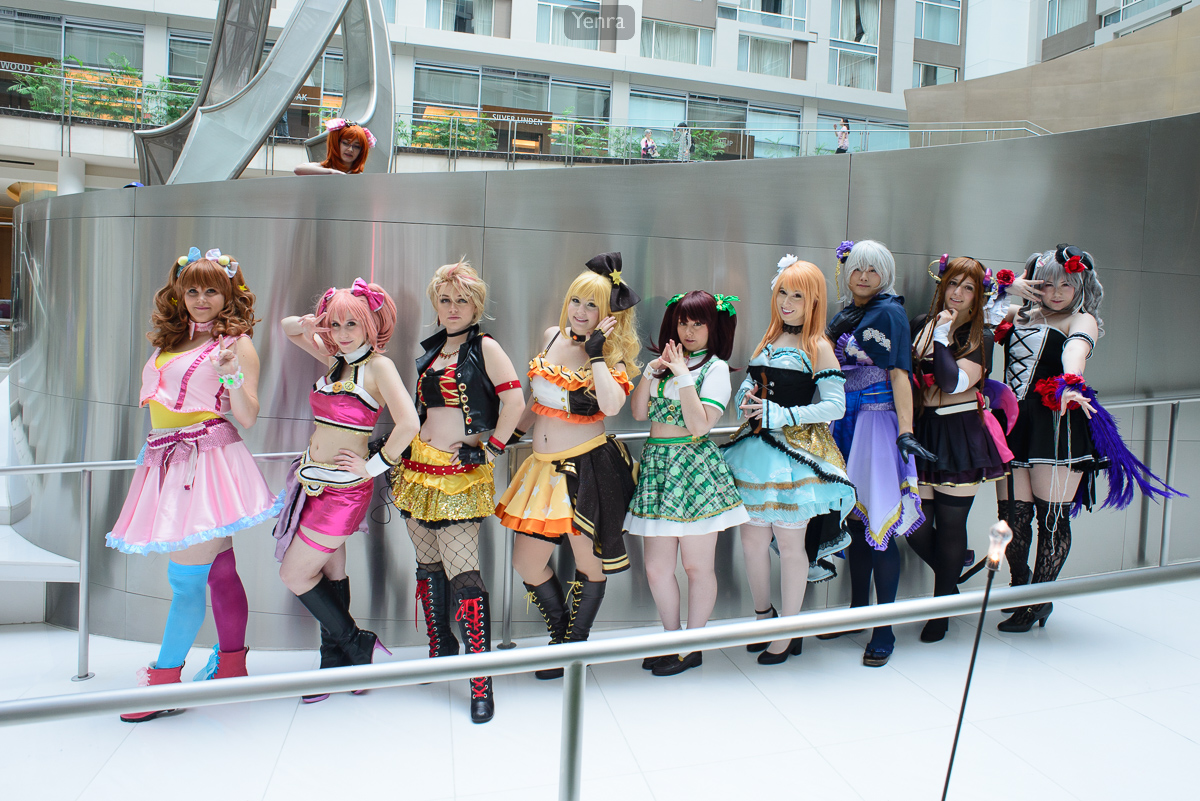
Cinderella Girls, Idolmaster · Photograph: Yenra
Captured: 2017:08:12 11:15:39
This group portrait brings several colorful costumes together beside a curved wall and railing. It offers a broader view than the individual portrait or wrist detail. Group portrait signals that change of scale and gives the reader another possible starting point.
Try each destination as a reader. Does it open the photograph or section the label suggests? Can you find your way back? A paper draft can use page numbers; a digital collection can use ordinary links that remain available without extra controls.
Your contents page can support several ways of reading. Someone may begin with a detail, return to a portrait, and then browse the complete collection. Clear invitations let the reader follow that curiosity.
Keep the first version small. Three representative previews, three useful labels, and three checked destinations give you a practical starting point. Review the choices and adjust whichever invitation could be clearer.
Look back with curiosity.
- Does each preview give a useful sense of its destination?
- Could someone understand the choices from the labels alone?
- Which invitation makes you want to explore the collection again?
Keep exploring
Organizing a photo collection into chapters · Introducing a small photo collection · Writing alternative text for photographs
Browse the complete Otakon 2017 gallery.